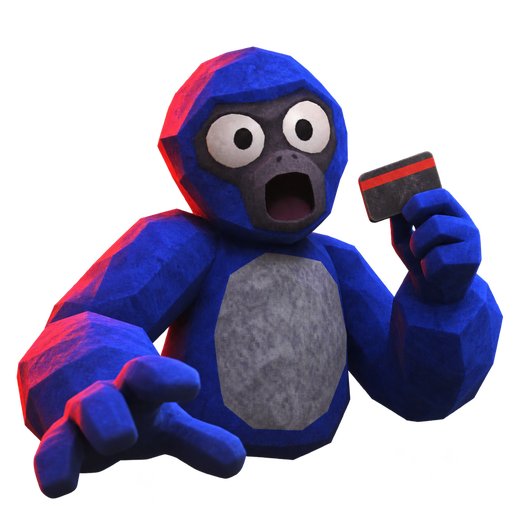
Introduction to Gilla VR and Its Thriving Community
Virtual reality horror has taken a terrifyingly immersive leap forward, and at the center of this adrenaline-fueled craze is the multiplayer phenomenon known as Gilla. If you are looking to survive the dark, echoing halls of the abandoned base, diving into the official Gilla VR discord community is your absolute best first step. Finding teammates who won't accidentally give away your position to the terrifying Grinner or the relentless Mako is crucial for survival in this intense Meta Quest early access title.
Community reports show that coordinating your movements via live 3D proximity voice chat can make or break your run. Whether you are hunting for gold bars and diamonds or trying to solve puzzles past the locked door, the Gilla VR discord network offers a bustling hub for finding active players, sharing strategies, and staying updated on daily quests and cosmetic updates.
Understanding Movement and Proximity Voice Chat
Moving around in Gilla requires an entirely different approach compared to traditional flat-screen games or even standard VR titles. There is no walking with a thumbstick; instead, players navigate just like an ape. You must push off the floor, shove off walls, and swing your arms harder to accelerate through the hazard-lit corridors.
| Movement Mechanic | Action Required | Pro Tip |
|---|---|---|
| Pushing Off | Swipe floor/walls with controllers | Keep movements sharp and rhythmic |
| Swinging | Pulling body weight forward | Use upper body strength for speed |
| Roomscale / Standing | Physical body turning and dodging | Ensure a clear play space to avoid hitting walls |
Because your voice comes directly out of your digital ape's mouth in 3D space, stealth is a literal gameplay mechanic. According to player experience feedback shared across various gaming circles, talking too loudly while exploring underground or near flooded hallways will instantly attract horrifying entities.
Game Modes and Community Strategies
The game offers several distinct ways to play, each bringing its own unique set of challenges and multiplayer interactions. To truly master these modes, participating in community discussions on the Gilla VR discord server can provide invaluable tactical advantages.
| Game Mode | Objective | Primary Threat |
|---|---|---|
| Roam (The Base) | Explore, loot gold/diamonds, use recycler | The Grinner (legless creeping monster) |
| Hunt | Survive the 2-minute timer against a player monster | Sonar pings and player tracking |
| Don't Splash | Cross a sinking platform hall without touching water | The Mako (fast-swimming aquatic horror) |
Community reports highlight that "Don't Splash" becomes exponentially harder with each round as the sinking platforms shrink and the clock ticks down faster. If you want to check out more details about the game's development and updates, you can visit the official Gilla VR website for additional guidance.
Navigating the Depths: Monsters and Hazards
Surviving the base requires intimate knowledge of the horrors lurking in the shadows. The community frequently discusses tactics for evading these terrifying foes.
| Threat Name | Location | Behavior & Danger Level |
|---|---|---|
| The Grinner | Main Base Corridors | Attracted to sound; drags itself on long arms with a ripped smile |
| The Mannequin | Below the Base | A 3-meter cracked shell with no arms or face hunting in nonsensical rooms |
| The Mako | Flooded Waterways | Attacks at 24 meters per second, scaling up to 41 meters by round seven |
Player experience notes emphasize that keeping your microphone muted or whispering when monsters are near is often the only way to avoid an instant, jumpscare-filled demise.
Customization and Progression Systems
Beyond the sheer terror of multiplayer survival, the game offers robust customization features that allow you to stand out in the lobby. You can choose your unique fur color on the lobby computer, browse a shop full of cosmetics, and track your progression on the in-game leaderboard.
| Customization Feature | How to Access | Purpose |
|---|---|---|
| Fur Color | Lobby Computer | Personalize your ape's appearance |
| Cosmetics Shop | Walk-in Lobby Store | Purchase limited items and bundles |
| Leaderboards | Main Lobby Area | Track daily quests, levels, and player stats |
Utilizing the Gilla VR discord platform also helps players organize private lobbies, trade tips on finding hidden keycards, and share funny clips of close-call escapes from the game's brutal monsters.
Frequently Asked Questions
How do I join the Gilla VR discord community?
You can typically find invitation links directly through the game's official web portals, community content creator videos, or Meta Quest community boards to connect with fellow players.
Why do monsters keep catching me in Gilla?
Monsters in the game react to sound. Because the game features 3D live proximity voice chat, talking loudly or making sudden noises will alert creatures like the Grinner to your exact location.
Can I play Gilla VR in a private room with friends?
Yes! You can easily type a custom code on the lobby computer to set up a private room and bring your friends into the horror adventure together.
What platforms is Gilla VR currently available on?
The game is primarily designed for Meta Quest headsets as an early access multiplayer VR horror experience, emphasizing physical roomscale movement and active community engagement.