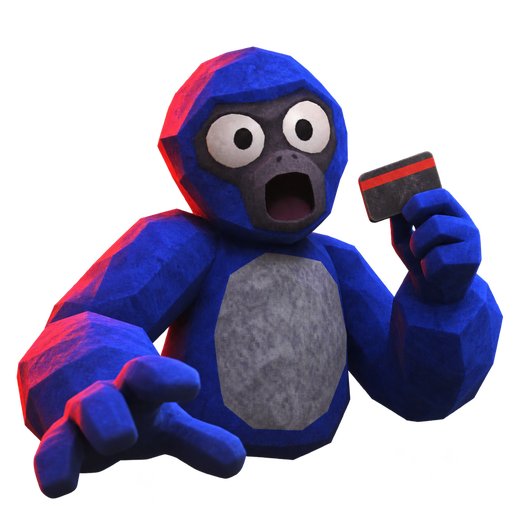
Diving into the world of virtual reality horror and party games is always an adrenaline rush, and the new release Gill a VR Quest 3 title has taken the platform by storm. Whether you are looking for an intense multiplayer survival experience or a fast-paced platformer, Gill a VR Quest 3 offers an unforgettable experience for headset owners.
Understanding Gill a VR Quest 3 Mechanics
The core locomotion system in this game breaks away from traditional stick-movement conventions. Players take on the persona of an ape, relying entirely on arm movements to navigate the environment. By pushing off the floor and walls, you can run, climb, and leap with incredible momentum.
| Locomotion Feature | Description | Action Required |
|---|---|---|
| Arm Running | Propel forward by sweeping arms | Push off the floor and walls |
| Climbing | Scale vertical surfaces quickly | Grip and pull with controllers |
| Leaping | Cover wide gaps in abandoned bases | Momentum-based swinging |
This physical control scheme creates a deeply immersive atmosphere, though it can be quite intense. First-time players should ensure they have plenty of room-scale space to avoid hitting real-world objects.
Exploring the Main Base and Objectives
The primary setting in the game is a massive, eerie abandoned base filled with secrets and dangers. Players work together—or compete—while hunting for gold bars and diamonds scattered throughout the dark hallways.
| Objective | Action | Hazard Warning |
|---|---|---|
| Resource Gathering | Collect gold and diamonds | Heavy items require careful carrying |
| Recycling | Bring loot back to the recycler | Monsters patrol nearby recycling points |
| Environmental Interaction | Smash windows and open hazard doors | Noise attracts nearby entities |
According to player experience reports, proximity voice chat adds a thrilling layer of tension. The roaming monsters can actually hear you talking through your microphone, meaning that sudden gasps or whispers can give away your hiding spot.
Diving Into Game Modes: Be the Monster and Don't Splash
The application features diverse gameplay variations that keep lobbies active and entertaining. The community frequently engages in competitive match-ups across these distinct setups.
| Game Mode Name | Core Objective | Unique Mechanics |
|---|---|---|
| Base Exploration | Loot and survive | Proximity chat detection and keycard hunts |
| Be The Monster | Survive or hunt others | 2-minute rounds with sonar pings every 45 seconds |
| Don't Splash | Cross a flooded hall | Sinking platforms and chasing Mako shark |
In the "Be The Monster" mode, one participant is chosen to stalk the rest of the lobby. Every 45 seconds, a sonar ping reveals player positions through walls, turning the match into a heart-pounding game of cat and mouse. Meanwhile, "Don't Splash" tests your jumping precision over sinking platforms while an increasingly aggressive Mako lurks in the water below.
Customization, Social Features, and System Requirements
Beyond the horror and survival elements, the platform includes robust social tools and cosmetic options. You can completely personalize your avatar before jumping into public rooms or setting up private sessions with friends using a custom code.
| Feature Category | Available Options | Notes |
|---|---|---|
| Appearance | Custom fur colors, shop cosmetics | Personalize your ape avatar |
| Multiplayer | Public lobbies, private code rooms | Live voice chat with mute/report functions |
| Progression | Daily quests, level systems | Ongoing goals for active players |
Hardware-wise, the application is designed to run seamlessly on modern Meta hardware. You can check out additional platform details directly on the official Meta Quest Store.
| Technical Specification | Requirement / Detail |
|---|---|
| Compatible Headsets | Meta Quest 3, Quest 3S, Quest Pro, Quest 2 |
| Comfort Rating | Intense |
| Storage Space | ~1,020.55 MB |
| Internet Connection | Required for multiplayer features |
Community Reports and Troubleshooting
As with any newly launched VR title, early adopters have encountered a few bugs and balancing quirks. Reviewing community feedback helps set proper expectations before you dive in.
| Reported Issue | Community Feedback / Status | Temporary Workaround |
|---|---|---|
| "Offline" Glitch | Some users report connection errors after restarting | Restart app or check network stability |
| Monster Selection Odds | Random selection can take extended periods | Play in private lobbies with friends |
| Voice Chat Dropouts | Audio bugs occasionally mute other players | Re-enter the lobby or reboot the game |
Player experience notes indicate that while matchmaking queues for specific roles can occasionally test your patience, the vibrant community and high-energy gameplay make it a worthwhile addition to your Quest library. Take regular breaks if you experience motion fatigue, and enjoy exploring the depths of Gill a VR Quest 3.
Frequently Asked Questions
What headsets are compatible with Gill a VR Quest 3?
The application is fully optimized for modern Meta hardware, including the Meta Quest 3, Meta Quest 3S, Meta Quest Pro, and Meta Quest 2.
How does movement work without thumbsticks?
Instead of walking with a thumbstick, you use your arms to push off the floor and walls. This physics-driven locomotion lets you run, climb, and leap rapidly through the environment.
Can monsters hear your voice in the game?
Yes! Proximity voice chat is integrated into the horror mechanics. Roaming monsters can hear you speaking, so whispering or staying completely silent in hiding spots is crucial for survival.
What causes the offline error in Gill a VR Quest 3?
Community reports indicate that occasional connection glitches can trigger an offline status message after a restart. Ensuring a stable internet connection and rebooting the application typically resolves the issue.